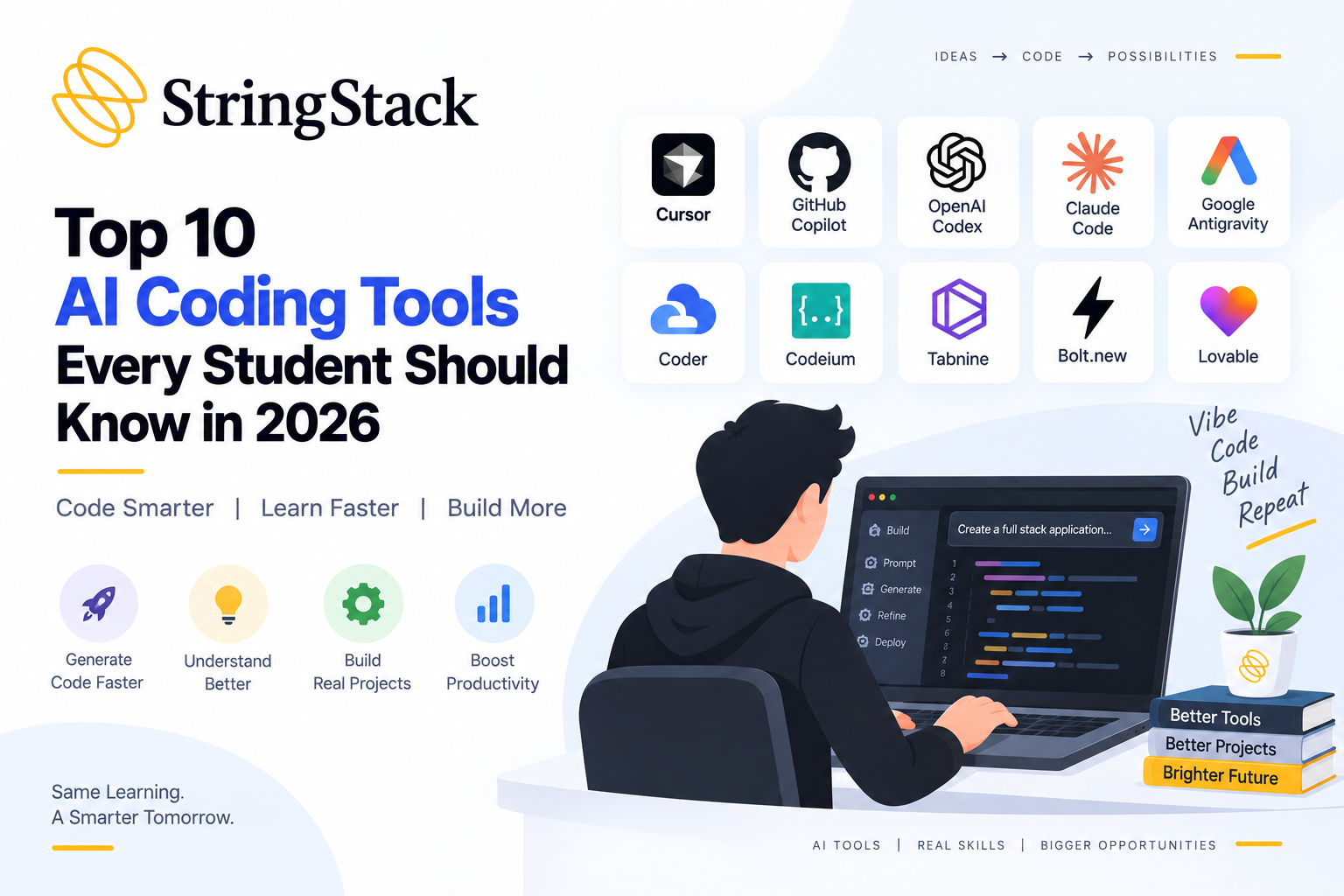
<p>AI tools are changing the way students and developers build applications. </p>
<p>Today, many developers use AI tools to:</p>
<ul>
<li>Generate code</li>
<li>Fix errors</li>
<li>Build projects faster</li>
<li>Understand code better</li>
<li>Create applications using simple prompts</li>
</ul>
<p>This style of development is commonly called <strong>“vibe coding.”</strong> </p>
<p>In vibe coding, instead of writing every line manually, developers describe what they want in simple language, and AI tools help generate the code or structure. </p>
<p>These tools do not replace learning programming, but they help students:</p>
<ul>
<li>Save time</li>
<li>Learn faster</li>
<li>Build projects more easily</li>
<li>Understand development workflows</li>
</ul>
<p>Here are some popular AI-powered coding tools used by developers in 2026. </p>
<p><strong>1. Cursor</strong></p>
<p>Cursor is one of the most popular AI coding editors used by developers in 2026. </p>
<p>Cursor looks very similar to VS Code, so students who already use VS Code can learn it easily. </p>
<p>Instead of writing everything manually, students can give prompts in simple English. </p>
<p>For example:</p>
<ul>
<li>“Create navbar using React”</li>
<li>“Fix login bug”</li>
<li>“Explain this Java function”</li>
</ul>
<p>Cursor reads the code and helps generate solutions. </p>
<h3><strong>What Cursor Helps With</strong></h3>
<ul>
<li>Writing code faster</li>
<li>Fixing bugs</li>
<li>Explaining code</li>
<li>Editing multiple files</li>
<li>Understanding large projects</li>
</ul>
<h3><strong>Important Features</strong></h3>
<ul>
<li>AI code suggestions</li>
<li>Built-in AI chat</li>
<li>Support for many programming languages</li>
<li>Error fixing support</li>
<li>Code explanation support</li>
</ul>
<h3><strong>Best For</strong></h3>
<p>Students who already know basic coding and want help while building projects.</p>
<p><strong>2. GitHub Copilot</strong> </p>
<p>GitHub Copilot is one of the most widely used AI coding assistants. </p>
<p>It works inside coding editors like VS Code and suggests code while you type. </p>
<p>For example:<br />
If you type:</p>
<p>“Create function to reverse array”</p>
<p>Copilot automatically suggests the code.</p>
<p>It helps developers:</p>
<ul>
<li>Write repetitive code faster</li>
<li>Generate functions</li>
<li>Learn syntax</li>
<li>Build APIs and backend logic</li>
</ul>
<h3><strong>Important Features</strong></h3>
<ul>
<li>Real-time code suggestions</li>
<li>Function generation</li>
<li>Multi-language support</li>
<li>IDE integration</li>
<li>AI chat support</li>
</ul>
<h3><strong>Best For</strong></h3>
<p>Students learning development and beginners practicing coding daily.</p>
<p><strong>3. OpenAI Codex </strong></p>
<p>OpenAI Codex is an advanced AI coding tool used for larger coding tasks. </p>
<p>Unlike simple code suggestion tools, Codex can understand bigger project requirements.</p>
<p>Students can give instructions like:</p>
<ul>
<li>“Build login system”</li>
<li>“Create dashboard page”</li>
<li>“Fix all errors in this file”</li>
</ul>
<p>Codex helps generate code and update files. </p>
<p><strong>What Makes Codex Different </strong></p>
<p>Codex focuses more on complete tasks instead of only small code suggestions. </p>
<p>It can:</p>
<ul>
<li>Understand project structure</li>
<li>Generate larger sections of code</li>
<li>Help automate coding tasks</li>
<li>Explain errors</li>
</ul>
<h3><strong>Important Features</strong></h3>
<ul>
<li>AI code generation</li>
<li>Multi-file understanding</li>
<li>Bug fixing support</li>
<li>Project-level coding help</li>
<li>Prompt-based development</li>
</ul>
<h3><strong>Best For</strong></h3>
<p>Students learning how real applications are built.</p>
<p><strong>4. Claude Code</strong> </p>
<p>Claude by Anthropic is widely used for coding help and project understanding.</p>
<p>Many students use Claude because it explains code in a simple conversational way.</p>
<p>Students can ask:</p>
<ul>
<li>“Explain this code”</li>
<li>“Why is this error happening?”</li>
<li>“Improve this API”</li>
</ul>
<p>Claude not only generates code but also explains the logic behind it.</p>
<h3><strong>Important Features</strong></h3>
<ul>
<li>Code explanation support</li>
<li>Debugging help</li>
<li>Large project understanding</li>
<li>AI coding assistance</li>
<li>Detailed answers</li>
</ul>
<h3><strong>Best For</strong></h3>
<p>Students who want to understand concepts while coding.</p>
<p><strong>5. Google Antigravity </strong></p>
<p>Google Antigravity is an AI-powered coding environment developed by Google.</p>
<p>It is designed to help developers build applications using AI agents.</p>
<p>Students can give project instructions, and the AI helps:</p>
<ul>
<li>Generate files</li>
<li>Write code</li>
<li>Organize project structure</li>
<li>Complete coding tasks</li>
</ul>
<p>Instead of helping with only one line of code, Antigravity helps manage larger development tasks.</p>
<h3><strong>Important Features</strong></h3>
<ul>
<li>AI-based coding support</li>
<li>Project generation</li>
<li>Multi-file editing</li>
<li>Prompt-based development</li>
<li>Task automation support</li>
</ul>
<h3><strong>Best For</strong></h3>
<p>Students interested in modern AI-based software development.</p>
<p><strong>6. Coder </strong></p>
<p>Coder is a cloud-based coding platform used by developers to create development environments directly inside the browser. </p>
<p>Instead of installing many tools manually on a laptop, Coder helps developers start coding using ready-made environments. </p>
<p>Many companies use Coder to give developers pre-configured coding setups. </p>
<p>Students can use it to:</p>
<ul>
<li>Write code from the browser</li>
<li>Access development environments online</li>
<li>Work on projects from different devices</li>
<li>Avoid complicated software setup problems</li>
</ul>
<p>For beginners, setting up development environments sometimes becomes confusing because different projects require different tools and versions. Coder helps reduce this setup work. </p>
<h3><strong>Important Features</strong></h3>
<ul>
<li>Browser-based coding</li>
<li>Cloud development environments</li>
<li>Ready-made coding setups</li>
<li>Remote development support</li>
<li>Multi-language support</li>
</ul>
<h3><strong>Why Students May Find It Useful</strong></h3>
<p>Students can start coding without spending too much time configuring software and tools manually.</p>
<h3><strong>Best For</strong></h3>
<p>Students learning development and developers working on cloud-based projects.</p>
<p><strong>7. Codeium </strong></p>
<p>Codeium is a free AI coding assistant used by many students. </p>
<p>It provides fast code suggestions and supports multiple programming languages. </p>
<h3><strong>Important Features</strong></h3>
<ul>
<li>AI auto-completion</li>
<li>Chat-based coding help</li>
<li>Fast code suggestions</li>
<li>IDE support</li>
<li>Free plan available</li>
</ul>
<h3><strong>Best For</strong></h3>
<p>Students looking for free AI coding help.</p>
<p><strong>8. Tabnine </strong></p>
<p>Tabnine helps developers write code faster using AI suggestions. </p>
<p>It predicts what code developers may write next and helps reduce repetitive typing. </p>
<h3><strong>Important Features</strong></h3>
<ul>
<li>AI code predictions</li>
<li>IDE integration</li>
<li>Multi-language support</li>
<li>Fast suggestions</li>
<li>Coding assistance</li>
</ul>
<h3><strong>Best For</strong></h3>
<p>Students who code regularly and want faster code completion.</p>
<p><strong>9. Bolt.new </strong></p>
<p>Bolt.new helps developers create web applications using prompts. </p>
<p>Students can describe their project idea, and the tool helps generate frontend and backend code. </p>
<p>For example:</p>
<p>“Create food delivery website”</p>
<p>Bolt.new helps create the project structure and code.</p>
<h3><strong>Important Features</strong></h3>
<ul>
<li>Prompt-based app generation</li>
<li>Fast project setup</li>
<li>Browser-based development</li>
<li>Frontend and backend support</li>
<li>Quick prototyping</li>
</ul>
<h3><strong>Best For</strong></h3>
<p>Students learning web development and project building.</p>
<p><strong>10. Lovable </strong></p>
<p>Lovable is an AI-powered tool used for building full-stack applications using prompts. </p>
<p>Students can describe what they want, and Lovable helps generate:</p>
<ul>
<li>UI components</li>
<li>Backend logic</li>
<li>Application pages</li>
</ul>
<h3><strong>Important Features</strong></h3>
<ul>
<li>Full-stack app generation</li>
<li>AI-generated UI</li>
<li>Backend support</li>
<li>Fast project building</li>
<li>Prompt-based coding</li>
</ul>
<h3><strong>Best For</strong></h3>
<p>Students building startup ideas and project prototypes.</p>
<p><strong>Conclusion</strong></p>
<p>AI-powered coding tools are becoming part of modern software development.<strong> </strong></p>
<p>These tools help students:</p>
<ul>
<li>Learn coding faster</li>
<li>Build projects more easily</li>
<li>Understand errors better</li>
<li>Save time while coding</li>
</ul>
<p>At the same time, focus on:</p>
<ul>
<li>Programming basics</li>
<li>Problem-solving</li>
<li>Small projects</li>
<li>Regular practice</li>
</ul>
<p>Using AI tools along with proper learning can help students improve their coding skills and understand how modern software development works.</p>
AI-Powered Coding Tools for Vibe Coding